RBCT-KF1-868 · Control & Relays · Manuals

User Manual & Installation Guide: Wireless Security Keyfob

The Wireless Keyfob (RBCT-KF1-868) gives instant one-press arming, disarming, panic/SOS, or automation control up to 1200 m away with two-way visual confirmation and up to 5 years of battery life on a CR2032 coin cell.

Complete User Manual and Installation Guide: pairing walkthrough, mounting & wiring, daily operation, LED indicators, and maintenance.

BuyDevice Overview Page
Wireless Security Keyfob (RBCT-KF1-868)

01. Pairing & Initial Setup

  1. 1In RB Link, tap "+" → "Add peripheral".
  2. 2Pull out the insulation strip until the green LED flashes.
  3. 3Hold "+" on the keyfob for 5 seconds if manual pairing is required.
  4. 4Tap "Done", then click "Associate User" to link the keyfob to a person.

02. Verification & Signal Strength Test

  1. 1Press Arm or Disarm: Green flashes twice on success; Red flashes twice if command fails.

03. Installation & Mounting Guide

  1. 1Attach the keyfob onto your keychain using the included split ring.
  2. 2Link the keyfob to an individual account via Associate User in RB Link so arming events log the owner.
  3. 3Assign actions to the two programmable buttons (Home/Stay arming, gate pulse, or SOS panic alarm).

04. User Manual (Daily Operation & Maintenance)

  1. 1One-press control: press Arm or Disarm within 1200 m—a double green LED flash confirms the hub received and executed the command.
  2. 2Panic / SOS trigger: pressing the SOS key immediately sounds sirens and dispatches push/ARC alerts.
  3. 3Security & maintenance: revoke lost keyfobs immediately in RB Link and replace the CR2032 cell when alerted.

05. LED & Acoustic Status Indicators

State / ActionIndicatorMeaning
SuccessGreen flashes 2×Action confirmed by R2 PRO hub.
FailedRed flashes 2×Out of range or denied.

07. Full Technical Specifications

Model
RBCT-KF1-868
Buttons
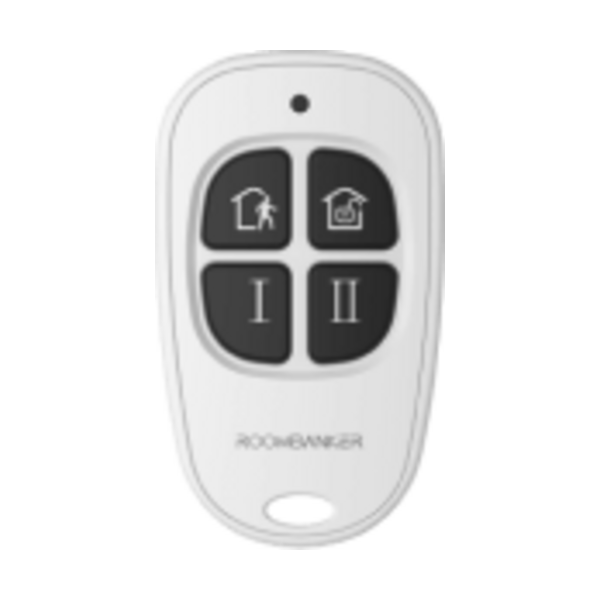
Arm, Disarm, 2× Custom / Panic
Wireless Range
RBF 868 MHz · up to 1200 m
Power
1 × CR2032 (up to 5 years standby)
Operating Temp
-10 °C to +55 °C
Dimensions & Weight
59 × 34 × 12 mm · 14.6 g

09. Device Questions & Answers

What functions do the 4 buttons on RBCT-KF1-868 perform?

It provides dedicated Arm and Disarm buttons plus 2 Custom Buttons whose actions are configured inside RB Link, with green LED confirmation.

Can a keyfob be assigned to a specific user?

Yes, the Quick Start Guide includes the "Associate User" step right after adding the keyfob to assign ownership.

How do I pair the keyfob if the green LED stays off?

Pull out the battery insulation strip; if the green LED does not flash, press and hold the "+" button for 5 seconds.

Consultation & System Sizing

Design a RoomBanker Setup Tailored to Your Property

Share your property layout and security goals—our Riga engineering team will recommend the right 868 MHz sensor kit and guide you to order on our main website.

SIA "Apsardze 24"

VAT / Tax ID LV40003889451

Latgales 293-5, Riga, LV-1063, Latvia